Enigma OS Documentation
Fully-configurable in-world control surface for VRChat
Project maintained by Cozen-Official Hosted on GitHub Pages — Theme by mattgraham
Template System
Templates allow importing or exporting folders. Basic templates are
included for various use cases and shader sets. To get started with
templates, click the “Templates” button.
This opens a menu to choose which template to import, or to export the current folder as a template. Saving a template JSON to the “Templates” folder under the “Enigma OS” folder will add your new template to this list.
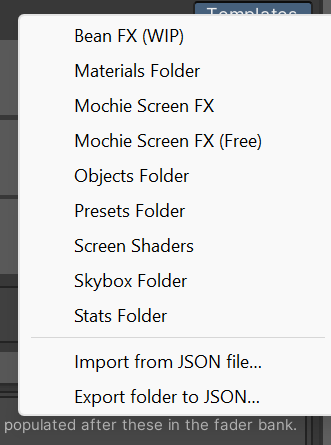
Basic templates include:
-
Objects Folder: A page of object toggles, for toggling the active state of objects.
-
Materials Folder: A page of material toggles, for swapping materials on a renderer.
-
Skybox Folder: A page of skybox toggles with an auto-change button, for changing the skybox in your scene.
-
Stats Folder: A page of stats displays, for viewing stats about your world. Can pull stats directly from the VRChat API like total visits.
-
Presets Folder: Allows saving the current state of the controller as a preset. Includes save, load and clear buttons, and 24 blank preset slots. Presets are persistent and save to the PlayerData, allowing each user to make their own and load them when using the controller. More on that in Using Presets.
-
Screen Shaders: This folder allows launching screen shaders configured on separate materials using templated renderers. See Screen Shader Setup.
-
Mochie, Bean FX, etc: These templates are specific to various shader sets. You must have these shaders imported to use them. See Screen Shader Setup.
More templates may be added later, so this list might not be exhaustive.
Clicking on a template in the menu will open the Template Importer. This is where you can preview the buttons to be imported, and assign references if required.
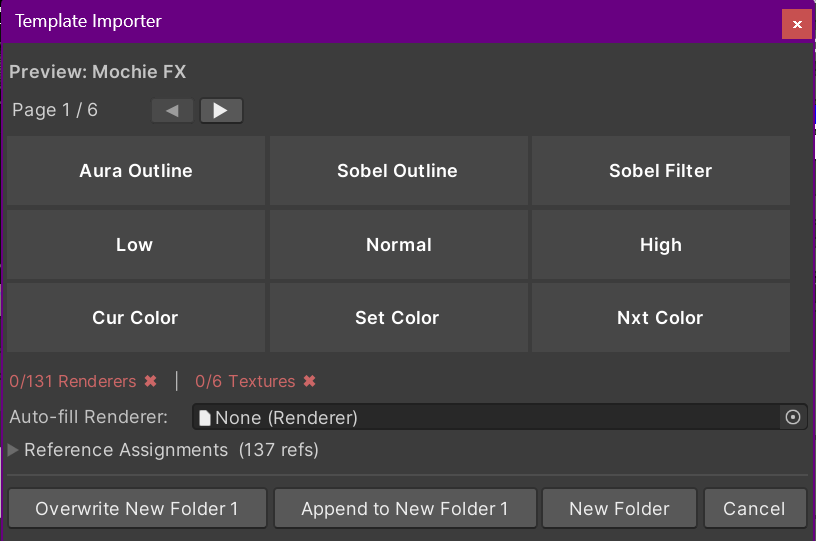
Use the arrow keys to navigate pages in the preview. The Reference Assignments foldout lets you assign the references like renderers, textures, etc. If you do not assign these, you will need to do so in the individual button actions.
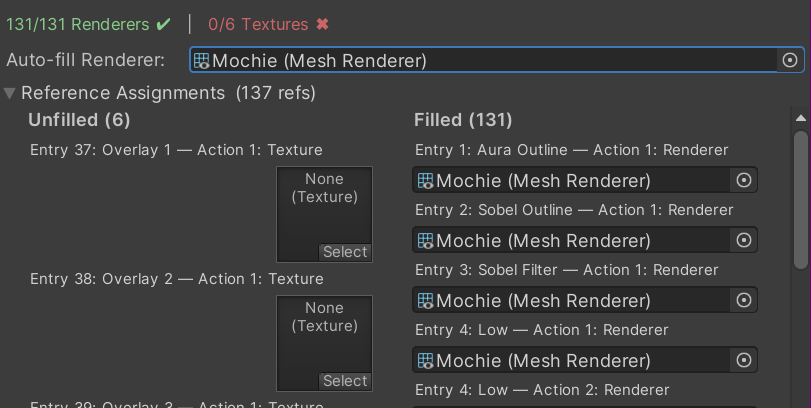
Use the Auto-fill Renderer field to quickly assign all renderer fields with the chosen renderer. This is useful for shader set templates, where these are intended to use a single renderer. Filled references move to the right side, so you can see on the left what remains to be assigned.
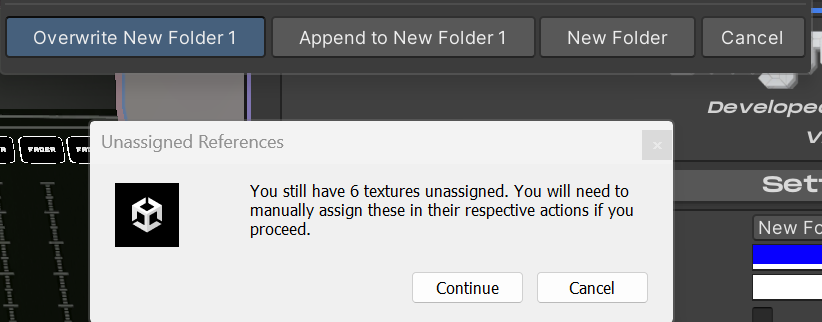
When you are finished, click one of the buttons to import the template. Overwrite will replace the currently selected folder. Append will add the template buttons to the current folder, keeping any currently configured buttons. New folder will import it as a new folder. If you try to import with unassigned references, a warning will pop-up.
Note: Templates are great for learning how to make your own layouts! You can copy/paste buttons from a template into your own custom folder.
| ← Using Prefabs | Screen Shader Setup → |